For speech pathologists

See what happened between appointments.

Review the examples and questions parents choose to share. Send activities, tracking sheets and practical notes they can use at home.

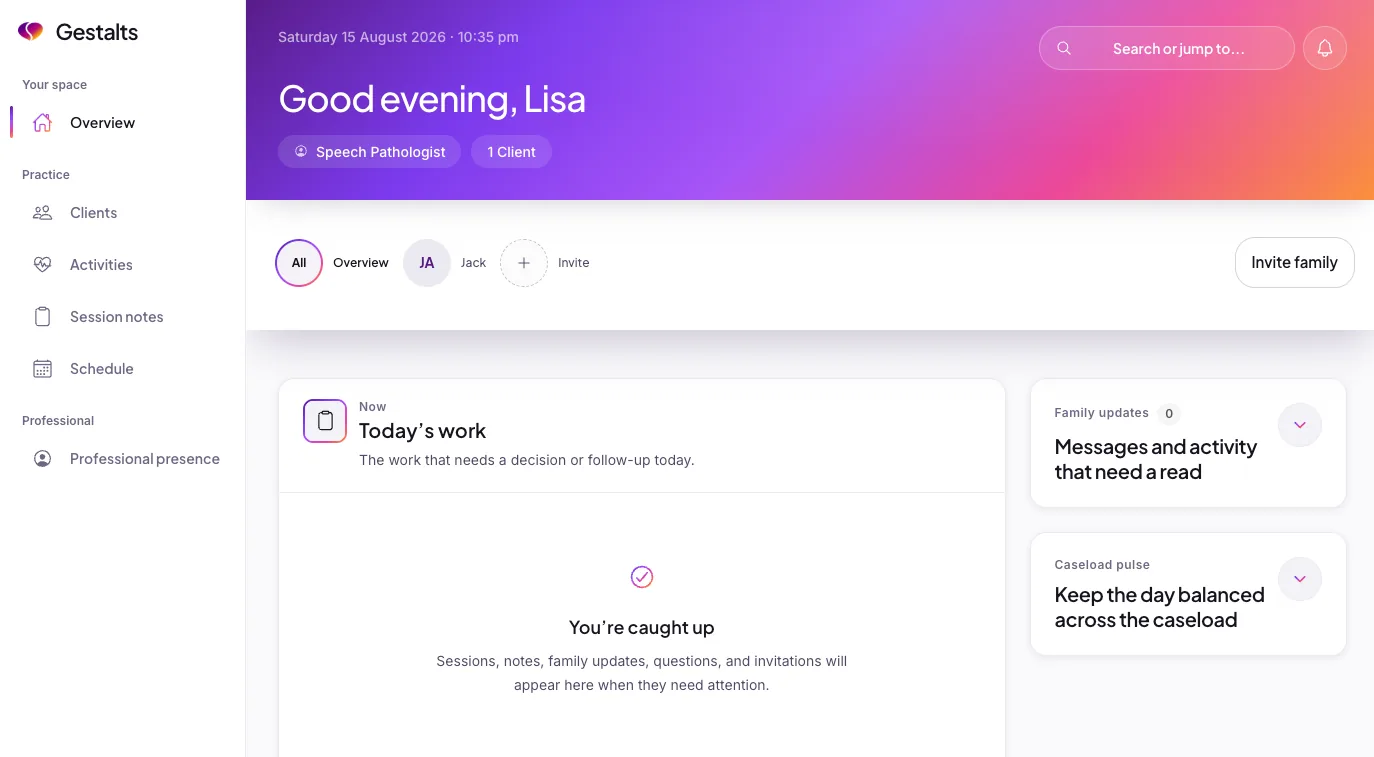
The current Gestalts practitioner portal showing the overview and today’s work

Start with what the parent noticed

Arrive knowing what the family wants to talk about.

Parents choose what to share. You decide what matters clinically.

  1. At home

    A parent saves a moment

    A new phrase, something that helped, or a question they want to ask.

  2. Parent controlled

    They choose what to share

    They choose which types of Memories to share with a connected practitioner and can keep individual notes private.

  3. Before the session

    You review the useful parts

    Read the examples and questions they’ve shared, ready to talk them through together.

Before and after the appointment

The questions before the visit. The notes afterwards.

A question can come up days before an appointment. What you discussed can be hard to remember once the family is on their way home. Parents can keep both in Gestalts and let you see the notes they want to bring into the conversation.

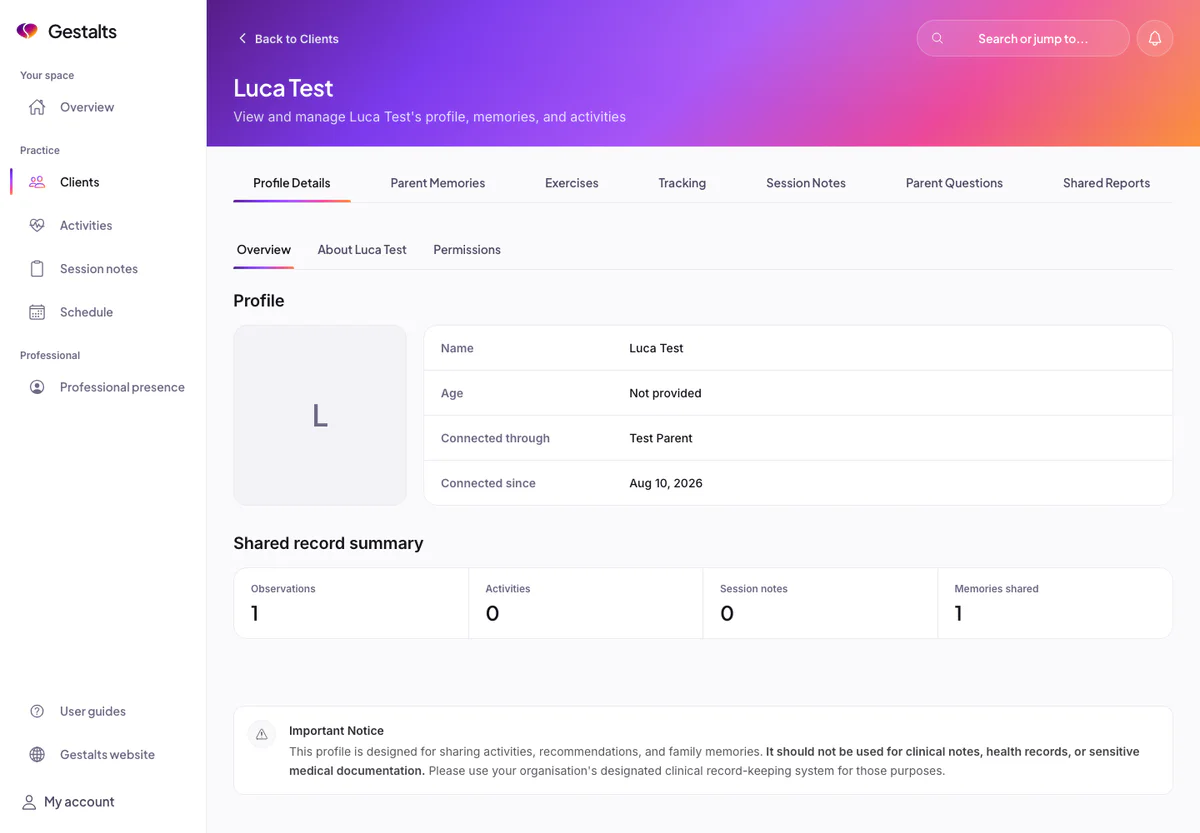
The Gestalts practitioner portal showing a family profile with Parent Memories, Parent Questions and Session Notes tabs

Before the session

Words and everyday moments

Review the Memories a parent shares. They can also save audio clips of words and phrases to play back in their own app.

Questions before appointments

See the questions the family saved during the week and chose to share with you.

After the session

Parent notes afterwards

Parents can jot down what they heard and agreed to try, ready to look back on at home.

Your strategies for home

Send a practical, family-facing note about what you agreed to try. Parents can read it again and reply with how things went.

When someone new needs the picture

A reviewed summary

A parent can prepare an appointment update, an introduction for a new practitioner or a summary for a school meeting, then review it before sharing.

School updates

Families can keep their own notes about school conversations in Memories and bring useful examples to their next meeting.

Still sending paper handouts?

Send activities, not paper handouts.

Create your own exercises and tracking sheets, send them to a connected family, and review the entries they submit from the app. The instructions and their entries stay together, without a sheet of paper to bring back.

  1. Practitioner portal

    Create it

    Use a template or build an exercise or tracking sheet with your own questions and instructions.

  2. Parent app

    Open it at home

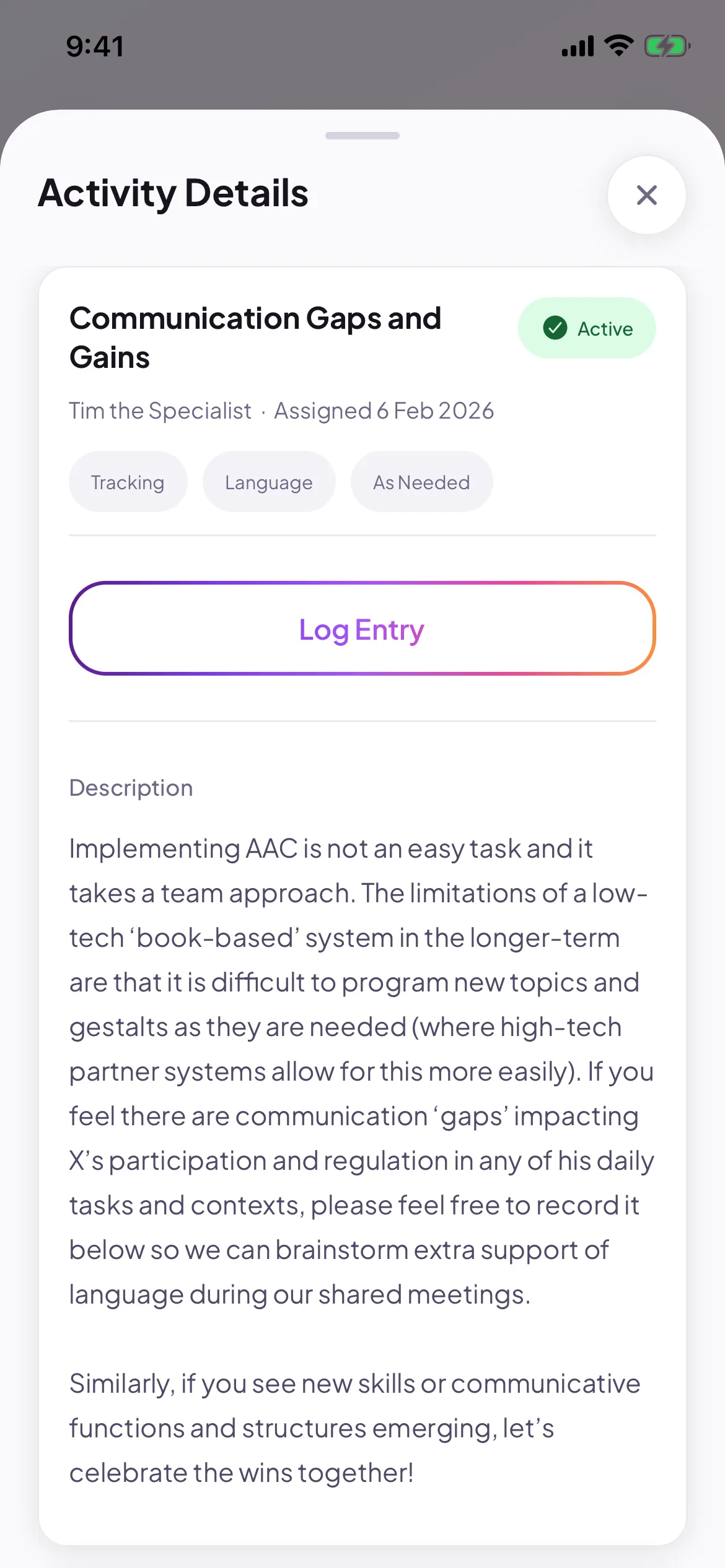
    Assign it to a connected family. They can open the activity and instructions in their app.

  3. Parent app

    Add an entry

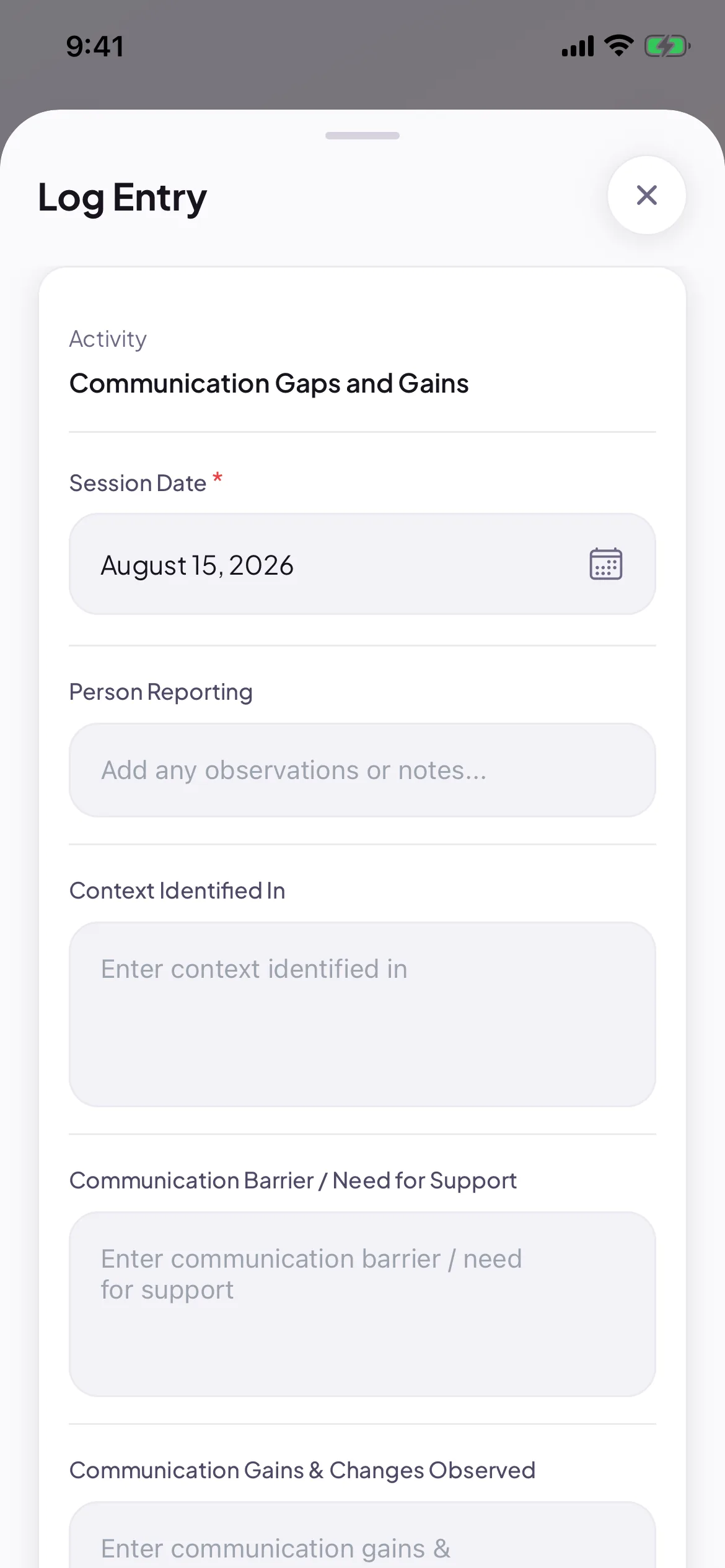
    The parent adds the date, fills in the details you asked for and submits the entry.

  4. Practitioner portal

    Review it together

    Review the entries submitted by the family and use them in your next conversation.

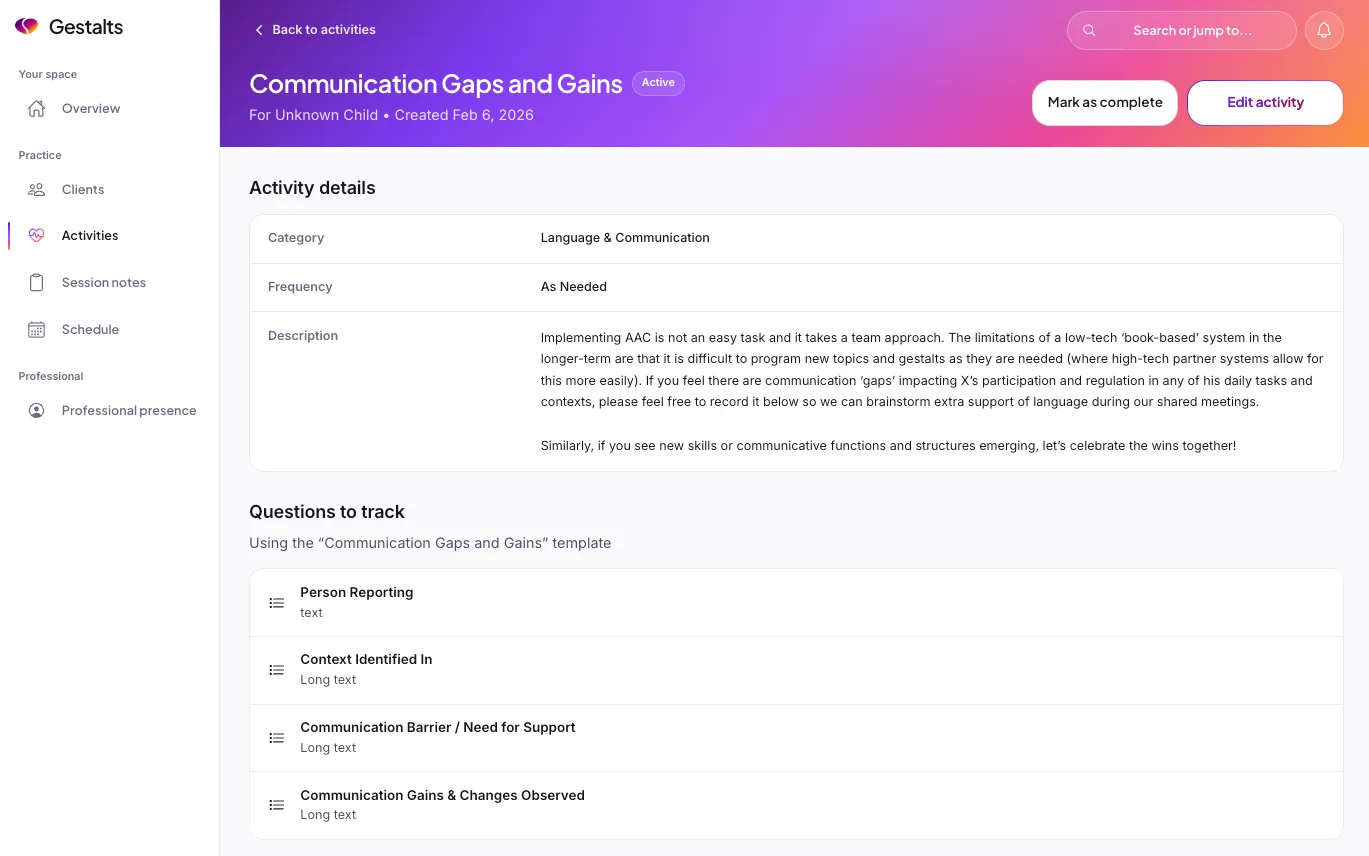
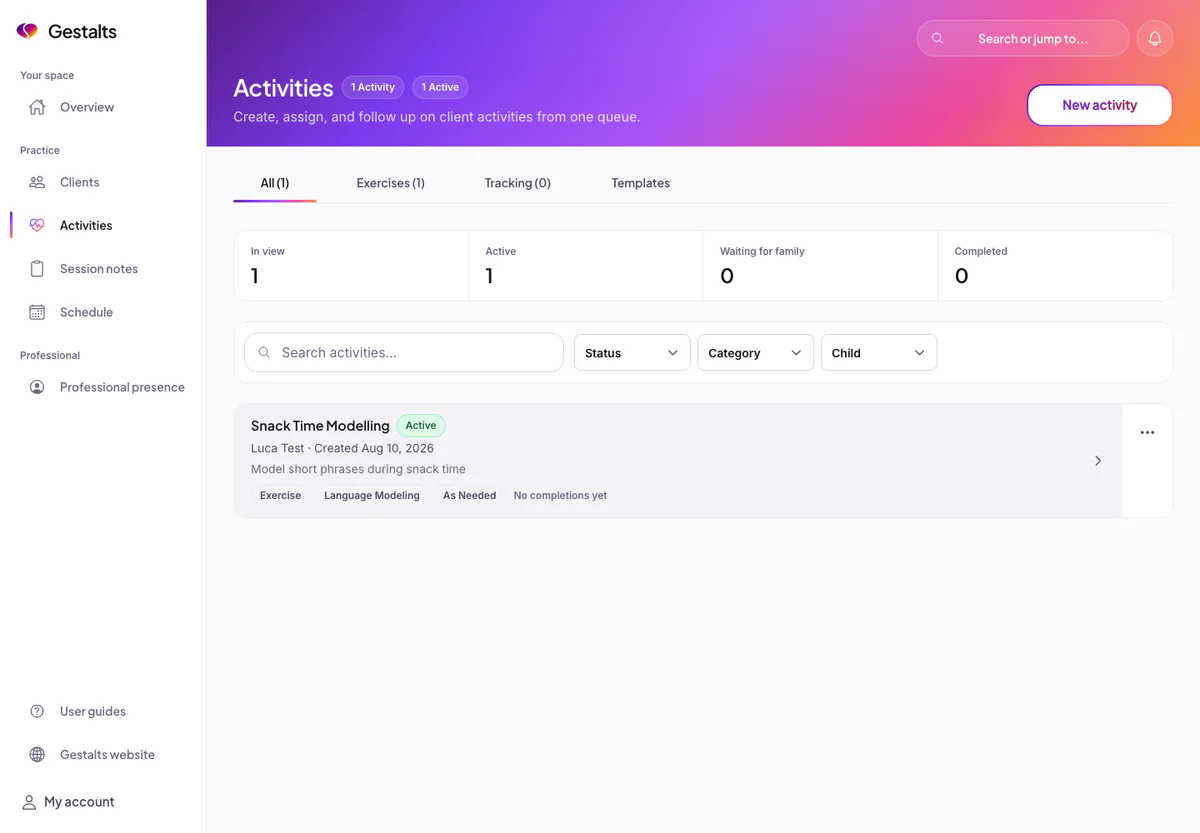
The current Gestalts practitioner Activities screen with exercises, tracking and templates

Ask for the details you need.

Build a custom tracking sheet with a short answer, a number, a choice or a tick box. Use a template again, or write questions for that family’s activity.

You can also send a practical strategy note for the family to refer to at home. Parents can reply with what they tried and what they want to ask next.

A speech pathologist reviews a family-shared note before an appointment

Working together

You bring the expertise. Parents bring the everyday examples.

A parent might want to show you a phrase, ask about something that happened at school or explain how an activity went. Gestalts gives them somewhere to keep those things and bring them to you. You decide what they mean for the support you provide.

GLP questions to bring back to you
Companion offers general GLP information and play ideas. It can suggest questions or Memories from a conversation for a parent to review and save, ready to discuss with you.
Stories to make and read together
Parents can make their child the main character in an illustrated Storybook, choose a familiar interest and review the words before creating the illustrations.

Why a parent built Gestalts

Three ways to be part of it

Be found, be read, help shape what we build.

None of these is required to use the portal. Each is a way to bring what you know to more families.

  • Be found

    A directory listing

    Families search by state and by online availability. You write your own listing and Gestalts approves it before it appears. There is no listing fee during the current activation phase.

    Create your listing
  • Be read

    Write for families

    Contribute an article to the resource library. Published pieces carry your byline and your contributor profile.

    Pitch an article
  • Shape it

    Help shape Gestalts

    Advisory partners tell us where the workflow gets in the way and answer our questions about what we are building. Critique, not endorsement.

    Join the advisory circle

There is no practitioner charge during the current activation phase. Families choose what they share with you. New practitioner connections and connected sharing need the family’s Connect plan.

Before you try it

The sensible questions.

Does Gestalts replace our practice-management or clinical-record system?
No. Gestalts is a family-sharing and preparation tool. It is not a health or clinical record. Keep formal clinical records, treatment plans and sensitive medical documentation in your organisation’s designated system.
Who controls the family information I can see?
The parent does. Families decide whether to connect and what to share. Access can be changed or removed by the parent.
Is the portal only for GLP clients?
No. Gestalts began with a GLP family, and some education is GLP-specific. The core portal workflow for family-shared profiles, memories, questions and activities can support a wider range of speech and communication journeys.
What does a family need to work with me in Gestalts?
The family needs a connection with you, with the relevant permissions for sharing, activities and practical notes; new practitioner connections and connected sharing require Connect. Submitted activity entries are available to authorised practitioners. AI-assisted reports are included in Prepare and Connect; sharing them through the portal needs Connect and report-sharing permission. The parent reviews the draft before sharing. See the pricing page for current family plans and limits.
What does the portal cost?
There is no practitioner charge during the current activation phase. Future paid features may be introduced, and any pricing change would be communicated before it takes effect.

Start with one family

Try it with one family.

Invite a family, look through the notes they choose to share and send an activity they can open at home.